Fake reCAPTCHA attack
A guide on how to identify the attack firsthand and what to do if you're already affected.

reCAPTCHA is a free Google service using advanced risk analysis to protect websites from spam and bots, distinguishing humans from bots through tests like image grid matching, Checkboxes, etc. Everyone trust reCAPTCHA, it's almost everywhere - blogs, login page, form inputs, and data intensive sites ( i.e., for downloads and uploads), That trust is what attackers are exploiting.
Just yesterday i was also a victim, not because i wasn't security conscious and aware but because it occurs on a site i frequent, does that mean the browser or the site is compromised ?, that's what i'm going to share with you in this article so that you can be conscious of what kind of reCAPTCHA instruction is true and which is malicious.
This article explains:
What Fake reCAPTCHA attacks are
How they works
How to recognize them instantly
What to do if/immediatly you fall for one
How to protect yourself going forward
What is a fake reCAPTCHA attack
A fake reCAPTCHA attack from it behaviour falls under social engineering attack, it's a situation where by the attacker imitate the google's reCAPTCHA which has users trust already, then give instructions that make the user run malicious commands themselve.
it's important to note that it's not a browser exploit rather it's a mimicking act in an attempt to exploit the browser which solely rely on the users behaviour whether he/she follows the instruction or not.
How the attack works
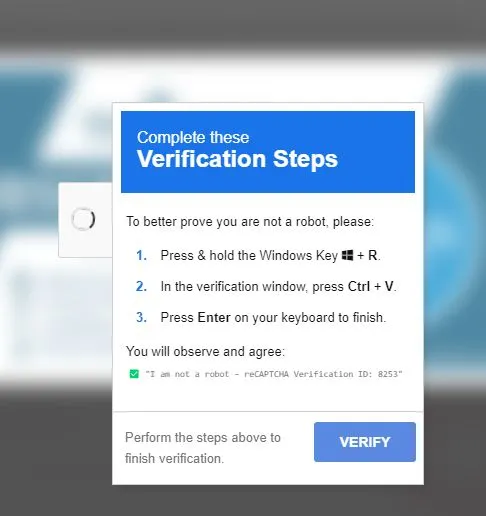
Since there's users trust on the Google's reCAPTCHA, then an unaware user will most likely follow the instruction. Here is what happens when you visit an infected site;
- A Google's reCAPTCHA-like prompt appears, instead of images matching or checkbox only it give instructions as shown in the image below
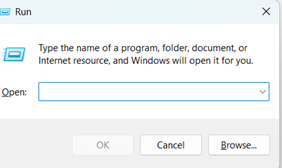
- Pressing the command windows + R enable the window run powershell as seen below.
- pressing the command control + V pastes the injected malicious script to the users run powershell.
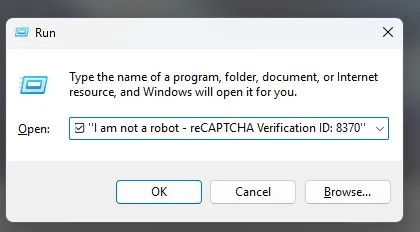
- pressing the command Enter initiates the attack, which is solely to maintain long access to steal the user's data expecially important credentials like, e-mail password, bank password, etc.
How to recognize the fake reCAPTCHA
Fake reCAPTCHA
Instruct you to open your operating system run powershell and it always appears outside google domains
Mentions a Windows/System verification process asking you to paste a command in your run powershell
Auto-copy malicious texts to your clickboard and instruct to paste in your run powershell to gain access to your operating system.
Real reCAPTCHA
Will never instruct you to opens your operating system run powershell
Will never request an operating system access
Only uses image grid matching and checkboxes
What to do if/immediatly you fall for one
if you already followed the instructions completely, don't panic, just follow the instructions below.
Disconnect from internet immediately.
Check startup items or scheduled task on your task manager to see unknown tasks, and if found, delete it.
Run your windows Defender offline scan if you don't have it installed... install by opening https://aka.ms/WindowsDefender to go to Microsoft Defender in the Microsoft Store and select Install, after installing sign-up with your credentials and activate it on your device then intiate the scanning.
Run a second scan with MalwareBytes or ESET to ensure confidence, in my experience thankfully i have windows defender activated and doing this second scan i detect an inactive malware as seen in the image blow
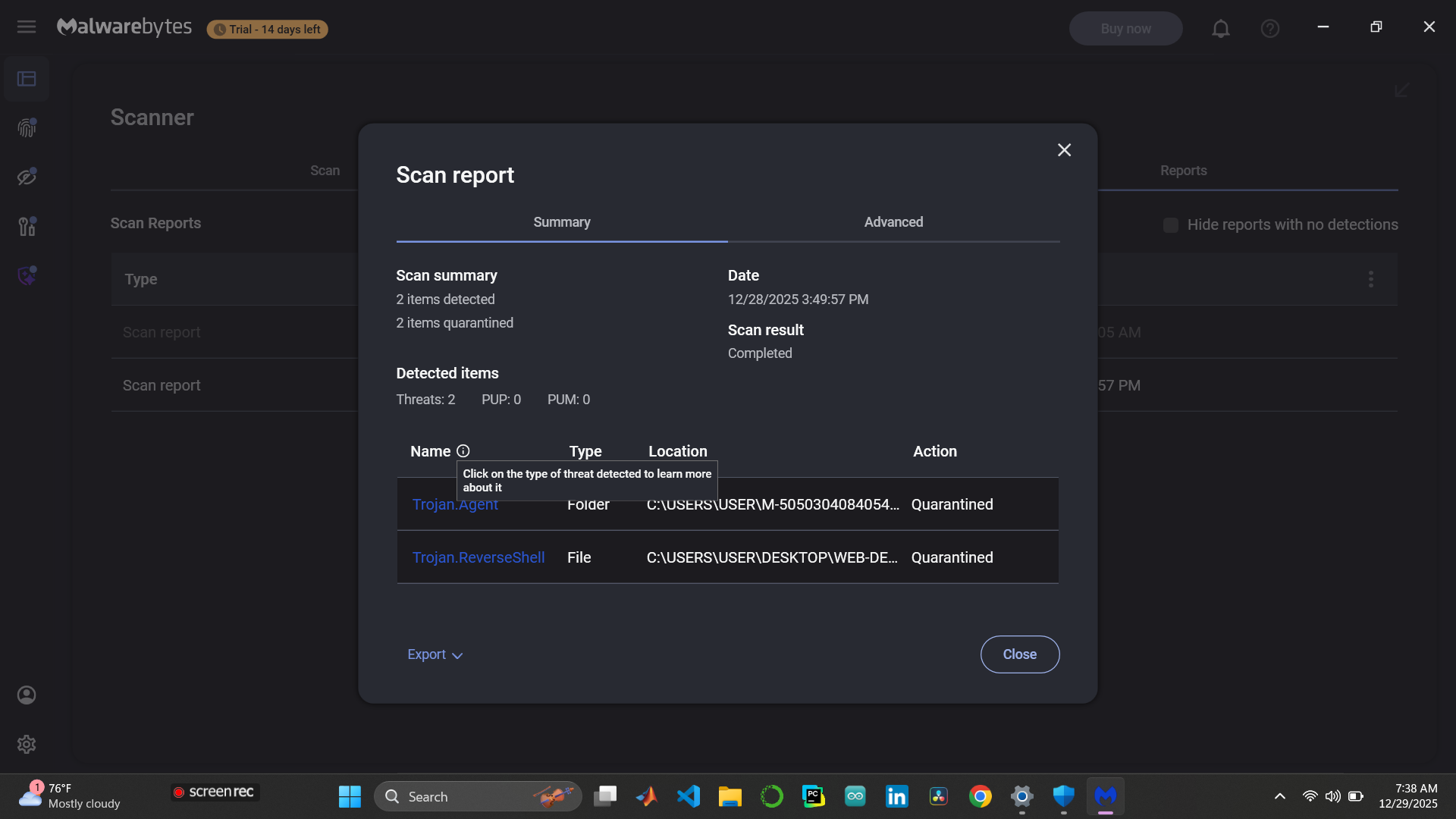
Quarantine or remove all detections, as you can see above the report shows quarantined
if it has been a while you fall for the attack, it's important you change all your important credentials like e-mail password, any financial details and your important website's login details.
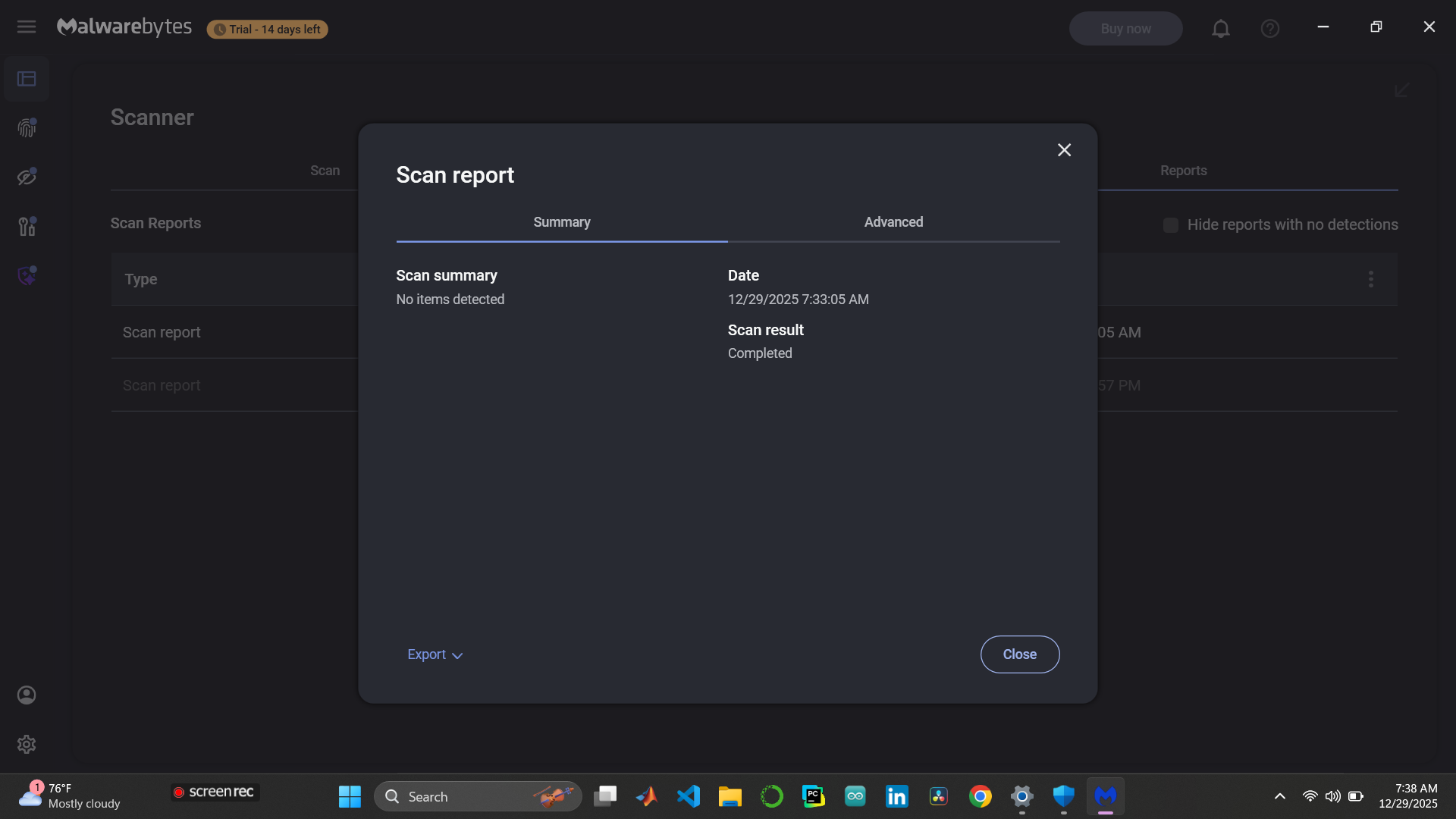
monitor you system activities for 24 - 48 hours, i ran another scan to check again after 24 hours which was empty as you can see below.
How to protect yourself going forward
Never follow operating system level instruction from any reCAPTCHA, it's fake.
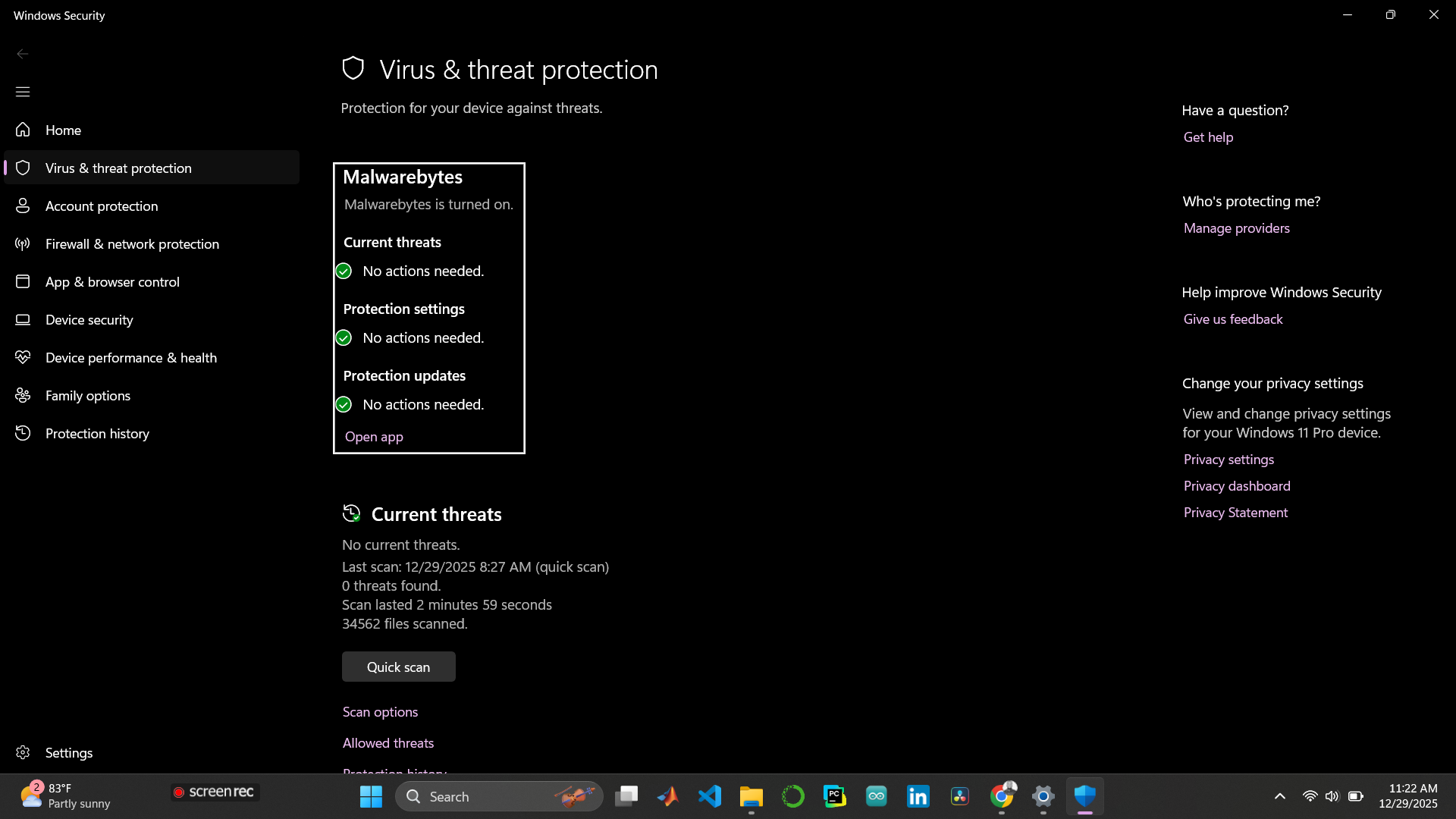
Always keep your microsoft windows defender or malwarebyte enable
Fake reCAPTCHA attack works because people feel familiar and urgent. but the good news is that modern security tools are effective,and informed user can stop these attacks instantly just like i did.
if this article helped you, consider liking it, sharing it, and subscribe to get notified of next informative article.
Awareness is the fastest way to shut these attacks down.


